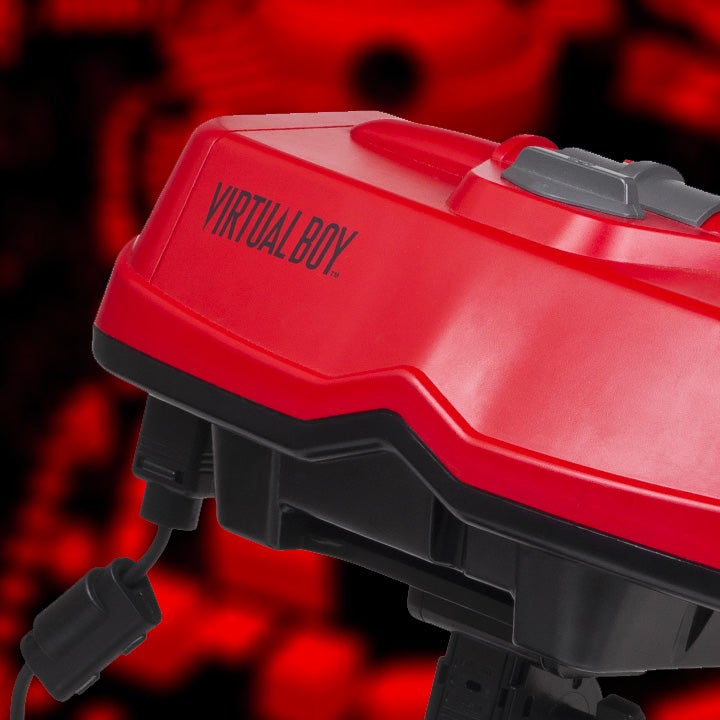
There’s something compelling about pulling up Virtual Boy games inside a modern VR headset. The idea taps into nostalgia, but also into how far hardware has come. Using the Quest with Virtual Boy Go exposes both the promise and the pitfalls of bringing older gaming formats into a new dimension.
This write-up breaks down what the experience delivers and where it falls short. It’s not a review or endorsement—it’s a lens at what this setup is capable of, what compromises are involved, and who might appreciate it most.
First Impressions: Visuals and Display
On Quest, Virtual Boy Go presents Virtual Boy titles through a simulated red-monochrome display, preserving the original’s color scheme. That sense of “this is how it used to feel” is strong. The headset makes those visuals larger and more immediate, giving a fresh sense of scale compared to original hardware.
Clarity is mixed. The pixelation and scanlines that defined Virtual Boy are there—but so are artifacts from upscaling and the limitations of Quest’s screen resolution. Some games look cleaner than expected; others suffer from aliasing and blur, especially when there’s motion or fast sidescrolling.
Depth and layering (foreground vs background) take on new weight in VR. The display handling in 3D space means things that were once flat feel more like physical panels. That adds immersion, though sometimes the effect overemphasizes visual quirks that were designed simply as stylistic limitations originally.
Controls, Comfort, and Usability
The input scheme maps old Virtual Boy button layouts onto the Quest controllers. That works fairly well, though there are inevitable mismatches given modern controllers’ shapes and input paradigms. The result: familiar actions are preserved, but muscle memory from the original hardware only goes so far.
Comfort is a major factor. Holding the headset steady, dealing with its weight, and managing the red visuals over time can strain eyes. Short sessions are more realistic for maintaining comfort. It also reveals why many Virtual Boy originals felt physically taxing when used long ago.
User interface features like selecting games, adjusting settings, and pausing are generally functional. Some aspects—like managing emulator-specific settings (frame rate, filters, shaders)—are more involved. They matter for this kind of retro experience because tweaking them can dramatically affect both aesthetics and comfort.
Immersion and Nostalgia vs Limitations
There’s strong nostalgic weight. For many, simply seeing Virtual Boy games in VR hits an emotional chord. It reminds players not only of the game content but of how limited and ambitious the original hardware was. That contrast fuels a lot of the enjoyment here.
However there are limitations. The single-color display, originally a hardware necessity, becomes less charming when you realize what modern hardware can do. Visuals that once seemed acceptable look more tired. Also, quirks in emulation—lag, frame drops, minor glitches—are more noticeable in VR, partly because of how sensitive we are to spatial presentation and latency.
How This Fits Among Retro Emulation Trends
This kind of emulator use reflects a broader trend: preserving old games not just for archival, but to re-experience them in new contexts. Other systems like Game Boy or NES remakes/emulators have already passed through similar discussions about authenticity vs modernization.
Compared to handheld emulation or playing through home consoles, VR adds both opportunity and risk. Opportunity in the sense that environment and immersion are richer. Risk because limitations of the headset (resolution, field-of-view, weight) can magnify flaws that would be less obvious on a flat screen.

Virtual Reality Explorer & Game Reviewer
Always the first to plug in. VRSCOUT dives head-first into the most immersive VR worlds, analyzing mechanics, comfort, innovation, and that elusive “presence” factor. If he says it’s worth it, it probably is.